Step 6: Licensing feeders
Navigate to Settings → Subscription.
Tap “Upgrade my plan”. There, select the feeders that you want to license. Feeders that are already licensed are greyed out and cannot be changed. The number of licensed feeders and the monthly costs update with every selection.
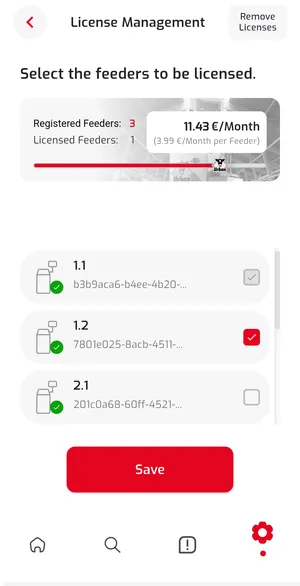
Confirm your selection with Save and complete the payment process. You are then redirected back to the app.
Licensing more feeders later
Section titled “Licensing more feeders later”You can add and license more feeders at any time. To do so, proceed as described above and select the new feeders in the license management.
Then continue with Step 7: Creating barns and assigning feeders.