Step 7: Creating barns and assigning feeders
If you operate several feeders at different locations, you can create a barn for each location. Example: you distribute four feeders across two barns.
Creating a barn and assigning feeders
Section titled “Creating a barn and assigning feeders”Navigate to Settings → Feeders and tap the + to the right of Barns.
Enter a name for the barn. Under Select feeders to assign, use the box on the left to mark which feeders are located in this barn. Then tap Create barn at the bottom.
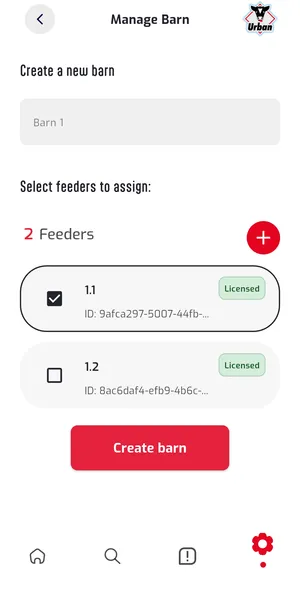
The app confirms with All feeders successfully assigned. Tap OK.
Removing feeders from a barn
Section titled “Removing feeders from a barn”For an assigned feeder, tap the × and confirm the prompt with Remove. The feeder stays in your account and can be assigned to another barn.
Setup complete
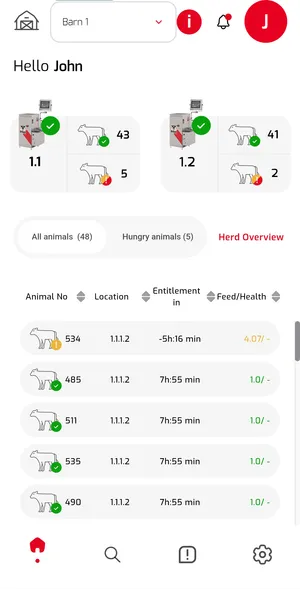
Section titled “Setup complete”You can now view your animal data.
For requests and suggestions, contact info@urbanonline.de.